The Cannetics app
Free CBD tools and honest guides, in one place. Five calculators, the Product Finder Quiz, and a nine-part beginner guide. No products sold, ever.
On iPhone: open this page in Safari, tap the Share button, then choose Add to Home Screen. It behaves like an app and works offline.
Free on Google Play, or use it in any browser without installing.
What is inside
Six things, all of them usable without an account and without paying.
Five free calculators
Dosage by body weight, half-life, bioavailability, drug test risk, and price per milligram. Each one shows the method behind the number.
Product Finder Quiz
Two minutes of questions about your goal, experience, and budget, answered with a category and the reasoning behind it. No email needed to see the result.
The CBD 101 guide
Nine short guides covering the basics, dosing, safety, drug interactions, and how to read a lab report properly.
Works offline
Install it once and the calculators and guides stay available without a signal. Useful on a plane or in a clinic waiting room.
Independent and free
No products sold in the app, no affiliate links, no THC. Written from published research, and every study cited is real.
Two ways to install
Get it from Google Play on Android, or install straight from your browser on iPhone and Android. Same tools either way.
What the app does and does not do
What it does
- Calculates doses, half-life, and cost per milligram
- Explains the reasoning behind every number
- Matches you to a product category, not a brand
- Works offline after one install
- Runs without an account or a login
What it does not do
- It does not sell CBD or link to shops
- It does not carry affiliate links or ads
- It does not give medical advice or diagnose
- It does not require an account
- It does not track you if you decline cookies
How to install it
Pick your phone. Both routes give you the same free tools.
- 1. Get it from Google PlaySearch "Cannetics" in the Play Store, or tap the Google Play button at the top of this page. Updates then arrive automatically.
- 2. Or install it from Chrome insteadPrefer not to use the store? Open cannetics.com/app in Chrome, tap the three-dot menu, then Install app. Same app, no store account.
- 3. ConfirmTap Install on the dialog. The app is added to your home screen and app drawer.
- 4. Use it like any appIt opens full screen, remembers where you were, and works offline once it has loaded a page.
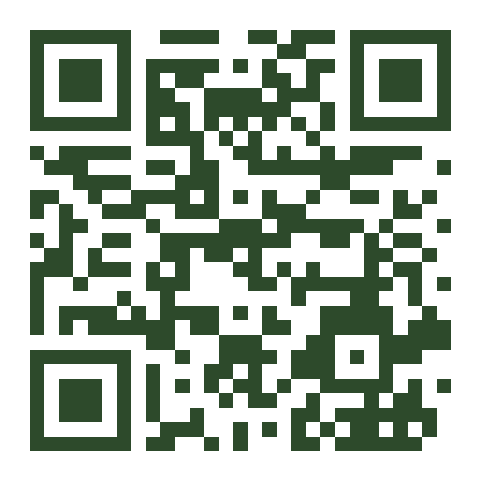
Reading this on a computer?
Point your phone camera at the code and it opens on the right device, ready to install. Same app, same address.
Installing works best from Google Play or Chrome on Android, and Safari on iPhone. On a desktop browser the app still runs, but there is nothing to install.
Common questions
Is the Cannetics app free?
Yes, entirely. There is no subscription, no paywall, and no advertising inside the app. Every calculator and guide is available without an account.
Does the app sell CBD products?
No. The app is information only. It contains no products, no prices, and no affiliate links. If you want product information, that lives on the website, separately.
Do I need to create an account?
No. There is no login and no account system. You can use every tool without giving us any personal information.
What does the app collect about me?
Anonymous analytics only, and only if you accept on the cookie banner. If you decline, nothing non-essential loads at all. The optional quiz email step is opt-in and skippable.
How do I install it on my phone?
Open the app, then on iPhone tap Share and "Add to Home Screen", or on Android open the browser menu and tap "Install app". It then opens full screen like any other app.
Is this medical advice?
No. Everything in the app is educational. CBD interacts with real medications and real conditions, so talk to a doctor before starting, especially if you take prescription drugs.
Ready to try it?
No sign-up and no cost. Install it from Google Play, or open it in your browser and add it to your home screen if it turns out to be useful.
On iPhone: open this page in Safari, tap the Share button, then choose Add to Home Screen. It behaves like an app and works offline.
Educational information only, not medical advice. Talk to your doctor before starting CBD, especially with medication or a medical condition.
© 2026 Cannetics